

Apple Business Connect Optimization: Complete Guide for Your Business on Apple Maps & Siri
Most local businesses focus exclusively on Google while ignoring a massive opportunity hiding in plain sight. Over 1.5 billion active iPhone users worldwide search for local businesses through Apple Maps, Siri, and Spotlight search every single day on a wide range of Apple devices. If your business isn’t optimized on Apple Business Connect, you’re invisible to this enormous audience.
Apple Business Connect is Apple’s free platform that allows businesses to manage how they appear across Apple Maps, Siri, Wallet, and other Apple services. This free tool helps you manage your business presence across Apple Maps and related apps. For service businesses competing in local markets, this represents untapped territory where competition is lighter and customer engagement is higher than on saturated Google platforms.
This complete guide will show you exactly how to claim, optimize, and leverage Apple Business Connect to capture high-intent customers using iPhones, iPads, and Macs. In the competitive landscape, Apple Business Connect is Apple’s answer to Google My Business, providing businesses with a direct way to manage their online presence within the Apple ecosystem. Whether you’re an HVAC contractor, roofing company, plumber, electrician, or any local service provider, these strategies will help you dominate Apple’s ecosystem and reach more customers using Apple products.
What Is Apple Business Connect and Why It Matters
Apple Business Connect (formerly Apple Maps for Business) is Apple’s platform for businesses to manage their presence across the entire Apple ecosystem. When iPhone users search for services in Apple Maps, ask Siri for recommendations, or use Spotlight search, the information comes from your Business Connect profile. By leveraging Apple Business Connect, your business can seamlessly integrate into Apple’s ecosystem, ensuring compatibility and exclusive access to Apple devices and services.
The Apple Advantage for Local Businesses
Apple users represent a particularly valuable demographic for service businesses. Studies consistently show iPhone users have higher household incomes, spend more on services, and demonstrate stronger brand loyalty than Android users. When an iPhone user finds your business through Apple Maps, they’re statistically more likely to become a high-value customer. Optimizing your Apple Business Connect profile can significantly enhance your business’s visibility among Apple users, helping you attract more customers and improve your online presence.
The competitive landscape on Apple Business Connect is significantly less crowded than Google. While every business fights to optimize their Google Business Profile, many completely ignore Apple. This creates an opportunity to dominate search results with less effort and competition.
Apple’s integration across devices creates unique advantages. A customer who saves your business card to their iPhone’s Wallet receives notifications when they’re nearby. Someone who asks Siri for an HVAC company gets personalized recommendations. These integrated experiences drive higher engagement and conversion rates.
Key Features You Need to Know
Apple Business Connect offers several powerful features:
- Place Cards: Your business listing in Apple Maps with hours, photos, and contact information
- Showcase Feature: Highlight special offers or featured services directly in your listing
- Action Links: Direct buttons for calling, messaging, or booking appointments
- Photo Management: Upload high-quality images of your business and work
- Customer Reviews: Manage and respond to reviews from Apple Maps users
- Service Areas: Define geographic regions you serve beyond your physical location
Setting Up Your Apple Business Connect Account
Getting started with Apple Business Connect is straightforward, though the process differs slightly from Google Business Profile setup.
Visit business.apple.com and sign in with your Apple ID. If you don’t have one, create an Apple ID using your business email address. Once logged in, search for your business by name and location. If your business already exists in Apple Maps, you can claim your existing listing. Claiming and optimizing your apple listing is essential for enhancing your visibility, keeping your information up to date, and engaging with customers. If it doesn’t exist, you’ll create a new listing. Use Apple Maps Connect as the platform to claim, verify, and manage your listing.
Verification Process
Apple requires verification to confirm you’re authorized to manage the business:
- Email Verification: Apple sends a verification code to your business email
- Phone Verification: Receive a verification code via phone call or text
- Postcard Verification: Apple mails a verification code to your business address (takes 5–7 days)
For most businesses, email or phone verification is fastest. For service businesses that operate from home or don’t have public-facing locations, you can set up a service area business that shows your coverage zones without displaying a specific address.
Apple Business Connect also allows you to manage multiple locations and efficiently update information across multiple locations from a single dashboard.
Optimizing Your Apple Business Connect Profile
A claimed listing is just the starting point. Optimization determines whether customers choose your business over competitors. To improve visibility and engagement, it’s essential to optimize Apple Business Connect, optimize your Apple listing, and optimize your Apple business by following best practices for profile completeness and ongoing updates.
Complete Every Section Thoroughly
For tips on how to optimize images for local search, visit our detailed guide.
Apple’s algorithm favors complete, detailed profiles. Fill out every available field:
- Use your actual business name without keyword stuffing
- Provide a primary phone number answered during business hours
- Add a website URL that loads properly on mobile devices
- Enter your exact physical address or define service areas, verifying and optimizing your business location and including a specific location to enhance local SEO
- Include an email address for customer inquiries
Business Categories
Selecting the right categories is crucial for appearing in relevant searches. Apple allows you to choose multiple categories, so select all that accurately describe your business. For more guidance on optimizing your business for local searches, consider exploring professional Local SEO services.
Choose your primary category carefully as this has the most weight. For an HVAC company, “Heating and Air Conditioning Contractor” should be primary. Then add relevant secondary categories like “Air Conditioning Repair Service,” “Furnace Repair Service,” or “HVAC Contractor.”
Business Hours Optimization
Accurate hours are critical because Apple Maps users rely on this information to decide when to contact businesses.
- Set regular operating hours for each day of the week
- Add special hours for holidays when you’re closed or have modified schedules
- Include separate hours for different services if applicable
- Update hours immediately when changes occur
Keep Your Information Current
To maintain up-to-date information and improve customer trust, regularly update your profile, including images, business details, and promotions. Promptly updating contact details ensures your listing remains accurate and visible.
Photos That Convert
Visual content dramatically impacts customer decisions. Upload these photo types:
Essential Photo Categories
- Exterior photos of your building or vehicle fleet
- Work photos showing before-and-after project images
- Team photos with professional headshots
- Equipment photos showing modern tools and technology
Photo quality matters enormously. Use professional photography or high-quality smartphone photos taken in good lighting. Avoid blurry, dark, or poorly composed images that damage your professional image.
Showcase Your Business
The Showcase feature lets you highlight special information directly in your place card. Use this for:
- Seasonal promotions or special offers
- Emergency service availability
- Unique selling propositions
- Certifications or awards
- Service guarantees
Showcase also helps your listing stand out by highlighting offers, new products, or upcoming events, making your business more attractive to potential customers.
Update your Showcase regularly to keep your listing fresh and highlight timely information.
Action Links That Drive Conversions
Action links make it effortless for customers to contact you; implementing local citation strategies can further enhance your business’s visibility and accessibility.
- Call Button: Links directly to your business phone number
- Message Button: Opens iMessage or SMS for text communication
- Website Link: Direct link to your homepage or landing page
- Direction Button: Automatically launches navigation to your location
For service businesses, adding a “Book Appointment” or “Get Quote” action link can significantly increase conversion rates.
Monitor Engagement and Analytics
Track how users interact with your listing by analyzing customer behavior, using data monitoring tools, and tracking progress through Apple Business Connect analytics. Regularly review metrics such as views, actions, and engagement to inform your optimization strategy and improve your listing’s performance.
Apple Maps Listing Management
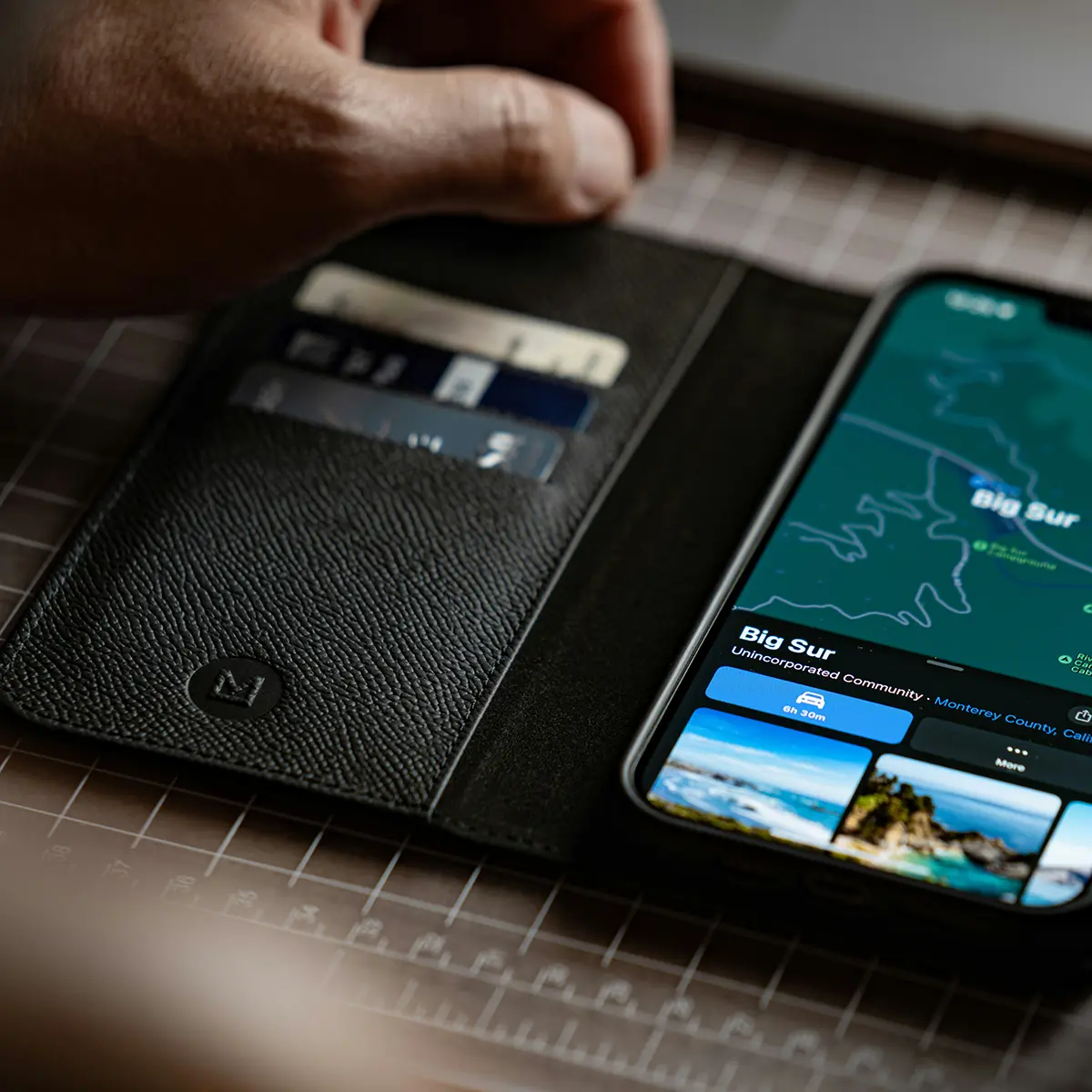
Managing your Apple Maps listing is essential for any local business aiming to maximize its digital presence and attract more customers. With Apple Business Connect, you have full control over how your business appears on Apple Maps, ensuring that your business information is always accurate and up to date. This includes keeping your business hours, contact details, and descriptions current, so customers always find the right information when they need it.
Enhancing your Apple Maps listing with high quality images and custom actions—such as direct call buttons or links to your website—can significantly boost customer engagement. These features make it easy for customers to connect with your business, whether they want to call, get directions, or learn more about your services with just a tap.
Regularly reviewing and updating your Apple Maps listing is crucial for maintaining local SEO and ensuring your business stands out in local searches. Accurate information not only helps customers find your business but also builds trust and encourages more foot traffic to your location. By leveraging Apple Business Connect to manage your Apple Maps listing, local businesses can ensure their digital storefront is always open, inviting, and ready to convert prospective customers.
Business Information and Attributes
Providing complete and accurate business information is the foundation of a successful Apple Business Connect profile. Local businesses should take full advantage of the platform’s ability to display detailed attributes, including business hours, contact details, and a compelling business description. This information is what helps potential customers find your business and decide to engage with you.
Consistency is key—make sure your business information matches across all platforms, including your Google Business Profile and other business listings. Inconsistent or outdated details can mislead potential customers and cause them to lose confidence in your business. By keeping your Apple Business Connect profile up to date, you not only encourage customers to visit your location but also improve your visibility in local searches.
Regularly updating your business hours, contact details, and other attributes ensures that customers always have access to the most current information. This proactive approach helps local businesses stand out, attract more customers, and deliver a better overall customer experience.
Promotions and Events
Promotions and events are powerful tools for local businesses looking to attract new customers and boost sales. With Apple Business Connect, you can create showcases that highlight your latest offers, special events, or featured services directly on your Apple Maps listing. These timely promotions are displayed where customers are already searching, making it easy to capture their attention and drive more foot traffic to your business.
Using Apple Business Connect insights, you can track how your promotions and events are performing—monitoring metrics like customer engagement and the number of people who interact with your showcases. This data allows you to refine your marketing strategy, ensuring that your efforts are always focused on what works best for your business.
By regularly updating your Apple Maps listing with fresh promotions and engaging showcases, local businesses can significantly enhance their online visibility, encourage more customer interactions, and ultimately drive more sales.
Integrating with Apple Apps
One of the standout advantages of using Apple Business Connect is its seamless integration with Apple apps. By connecting your business profile with Apple Maps, you make it easy for customers to get directions to your location, request services, or find your business with just a tap. Integration with Apple Wallet allows you to offer loyalty programs and rewards, further enhancing customer engagement and retention.
Using Apple Business Connect, businesses can access valuable performance metrics—such as directions requests and customer actions—to better understand how customers interact with their listing. These insights help you optimize your local SEO strategy and improve your marketing efforts.
By leveraging the full suite of Apple apps, businesses can streamline operations, provide a superior customer experience, and ensure their business is always visible to Apple users searching for local services.
Using Branded Mail
Branded mail is a unique feature of Apple Business Connect that allows businesses to add their logo to emails sent through the Apple Mail app. This not only increases your brand’s visibility but also builds trust with customers by presenting a professional and consistent image in every communication.
To take advantage of branded mail, your business must have a verified domain and email address. Once set up, every email you send through Apple Mail will prominently display your business logo, helping you stand out in crowded inboxes and reinforcing your brand identity.
Using branded mail is an effective way to enhance customer engagement, drive more sales, and establish a strong online presence. For businesses looking to build lasting relationships with their customers, branded mail is a simple yet powerful tool to add to your Apple Business Connect strategy.
Managing Reviews on Apple Business Connect
Reviews on Apple Maps influence both search rankings and customer decisions. Active review management is essential.
Encouraging Apple Maps Reviews
Many customers default to leaving reviews on Google, so you need to specifically encourage Apple Maps reviews. After completing excellent work, send follow-up messages that include a direct link to leave a review on Apple Maps.
For iPhone users specifically, make the ask targeted: “Since you’re an iPhone user, we’d appreciate a review on Apple Maps where other iPhone users will see it.”
Responding to Reviews
Apple Business Connect allows you to respond to reviews, and doing so demonstrates your commitment to customer satisfaction.
Responding to Positive Reviews
- Thank customers by name when possible
- Mention specific services or details from their review
- Reinforce your commitment to quality
- Keep responses genuine and personal, not templated
Responding to Negative Reviews
- Respond quickly to show you take concerns seriously
- Acknowledge the issue without making excuses
- Offer to resolve the problem offline
- Provide direct contact information for resolution
- Stay professional regardless of review tone
Your responses are visible to potential customers evaluating your business. They judge you not just on whether you get negative reviews but on how professionally you handle them.
Advanced Apple Business Connect Strategies
Once your basic profile is optimized, these advanced strategies help you maximize visibility and engagement.
Leveraging Siri Integration
When iPhone users ask Siri questions like “find an HVAC company near me” or “call a plumber in my area,” Siri pulls results from Apple Maps. Optimization for Siri requires:
- Natural language in your business description
- Complete category selection
- Strong review profile
- Accurate contact information
- Service area definition
Think about how people speak to Siri versus how they type searches. Include conversational phrases in your business description that match voice queries, and don’t forget to track your local SEO results to see the impact of these optimizations.

Spotlight Search Optimization
Your Apple Business Connect profile appears in iPhone Spotlight search results when users search for services. This means iPhone users searching their phone for “plumber” or “HVAC repair” can discover your business without even opening an app.
Ensure your business name, categories, and description include terms customers commonly search for in Spotlight.
Apple CarPlay Visibility
Drivers using Apple CarPlay see your business in Apple Maps while navigating. For service businesses, this creates opportunities when customers need emergency services while driving.
Optimize for CarPlay visibility by having a clear business name, accurate location information, and a phone number that connects to someone immediately.
Seasonal Content Updates
Keep your Apple Business Connect profile fresh by updating content seasonally:
- Winter: Emergency service availability, snow day policies, holiday hours
- Spring: Maintenance reminders, seasonal promotions, updated service hours
- Summer: Peak season availability, extended hours, vacation scheduling
- Fall: Winter preparation services, seasonal maintenance, holiday scheduling
Measuring Your Apple Business Connect Performance
Tracking performance helps you understand what’s working and where to focus optimization efforts.
Apple Business Connect Insights
The platform provides analytics showing:
- Impressions: How many times your listing appeared in search results
- Actions: Calls, phone calls, direction requests, website visits from your listing
- Discovery Searches: What searches led people to find your business
- Customer Actions: Which action links customers clicked most
Review these metrics monthly to identify trends and opportunities.
Key Performance Indicators to Track
When considering the effectiveness of your reputation management efforts, it’s important to understand when and how Google reviews can be removed, as negative or unfair feedback can significantly impact your KPIs.
- Search impressions growth over time
- Action rate (percentage of views resulting in calls, phone calls, or website visits)
- Review velocity and average rating
- Photo engagement metrics
- Showcase performance
- Number of phone calls generated from your Apple Maps listing
Competitive Benchmarking
Regularly search for your services in Apple Maps to see where you rank compared to competitors, what featured content they display, and how your photos and reviews compare. Optimizing for search engines, in addition to Apple Maps, can further improve your business’s online visibility and help you benchmark against a wider range of competitors.
Common Apple Business Connect Mistakes to Avoid
Inconsistent NAP Information
Name, Address, and Phone (NAP) consistency across all platforms is crucial. Ensure exact consistency between Apple Business Connect, Google Business Profile, your website, and directory listings.
Keyword Stuffing Business Names
Adding keywords to your business name violates Apple’s guidelines and can result in listing suspension. Use your actual business name only.
Neglecting Regular Updates
Set a calendar reminder to review and update your Apple Business Connect profile monthly. Stale information and inactive profiles perform poorly in search results.
Ignoring Review Responses
Failing to respond to reviews, especially negative ones, signals that you don’t care about customer feedback. Potential customers notice when businesses ignore reviews.
Using Low-Quality Photos
Blurry, dark, or unprofessional photos damage your credibility. Invest in professional photography or use high-quality smartphone photos taken in good lighting.
Apple Business Connect vs. Google Business Profile
Understanding how these platforms differ helps you optimize each effectively.
Key Differences
- Audience: Apple attracts higher-income users while Google has broader demographic reach
- Search Behavior: Apple favors conversational voice searches while Google sees more text-based research
- Competition: Apple has less saturation, making visibility easier to achieve
- Integration: Apple seamlessly integrates across iPhone, iPad, Mac, Watch, and CarPlay
- Unlike Google, Apple does not own a search engine; instead, its services are mainly integrated within the Apple ecosystem, positioning Apple Business Connect as a tailored solution for Apple device users.
Why You Need Both
Optimizing exclusively for one platform means missing half your potential customers. iPhone users default to Apple Maps while Android users rely on Google Maps. Comprehensive local SEO requires optimization on both platforms.
The good news is that many optimization principles apply to both. Quality photos, accurate information, comprehensive descriptions, and active review management benefit you on both platforms.
How Redshift Local Optimizes Apple Business Connect
At Redshift Local, we understand that dominating local search requires optimization across all platforms where customers search. Apple Business Connect represents a significant opportunity that most competitors ignore. Maintaining your business’s information and branding accurately on Apple Business Connect is crucial for ensuring customers see authentic, up-to-date details about your operations and offerings.
Our VTC Framework (Visibility, Traffic, Conversions) extends to Apple’s ecosystem. We ensure you’re visible when iPhone users search for services, drive qualified traffic from Apple platforms, and optimize your profile to convert that traffic into booked jobs.
We handle complete Apple Business Connect setup and optimization, including professional photo curation, review management, regular content updates, and performance tracking. Most importantly, we integrate Apple optimization with your broader local SEO strategy for comprehensive market coverage.
Ready to capture the high-value customers searching for your services on iPhones? Contact Redshift Local today to discuss optimizing your Apple Business Connect profile alongside your complete local search presence.
Don’t Ignore Apple’s Billion Users
Apple Business Connect represents one of the most underutilized opportunities in local search marketing. While competitors focus exclusively on Google, you can dominate Apple’s ecosystem with relatively less effort and capture high-value customers actively searching for your services.
The platform is free, setup takes just a few hours, and the potential return on investment is enormous. Every day you wait is another day of losing customers to competitors who show up in Apple Maps when iPhone users search. Maintaining NAP consistency for local SEO is a key factor in ensuring your business appears in these local searches.
Start by claiming your listing today. Complete your profile thoroughly. Upload high-quality photos. Encourage reviews from satisfied customers. Monitor your performance and continuously optimize.
The businesses that win in local search are those present and optimized everywhere customers search. Apple Business Connect is no longer optional. It’s essential for comprehensive local market coverage.
Claim your Apple Business Connect listing today and start capturing the millions of iPhone users searching for your services right now.