

Apple’s Siri processes billions of local searches monthly, connecting customers with service businesses through voice commands on iPhones, iPads, Apple Watches, HomePods, and CarPlay. When someone tells Siri “Find me a heating contractor” or “Call an emergency electrician nearby,” Siri pulls from a completely different ecosystem than Alexa or Google Assistant. For home service contractors, understanding Apple’s unique approach to local search is essential for capturing the massive iOS user base.
This comprehensive guide reveals exactly how to optimize your business for Siri’s local recommendations. You’ll discover why Apple Business Connect matters more than most contractors realize, how Apple integrates multiple review platforms, and proven strategies for dominating Siri results when customers need your services most.
How Does Siri Find and Recommend Local Businesses?
Siri’s recommendation system operates differently from other voice assistants, pulling from Apple Maps as its foundation while layering in data from multiple trusted sources. Understanding this multi-source approach changes how you optimize for Apple’s ecosystem.
Siri’s Core Data Infrastructure
Apple Maps as primary source:
- Apple Business Connect serves as the authoritative business database
- Location data and service boundaries come from Apple Maps
- Business categories determine search result eligibility
- Operating hours control when Siri recommends businesses
- Contact methods enable direct user interaction
Multi-platform review integration:
- Yelp reviews influence recommendation strength
- TripAdvisor ratings factor into hospitality-related services
- Foursquare data supplements location information
- Additional review aggregators provide reputation signals
- Apple weighs cross-platform consistency heavily
Siri Knowledge integration:
- Web crawling supplements business information
- Structured data from websites enhances understanding
- News mentions and citations build authority
- Social media presence validates business legitimacy
What Makes Siri Different from Other Voice Assistants?
Device ecosystem advantages:
- Siri operates across all Apple devices seamlessly
- CarPlay integration captures customers while driving
- Apple Watch enables quick hands-free searches
- iPhone dominance in high-income demographics
- Continuity features allow cross-device interactions
Privacy-focused approach:
- Apple prioritizes user privacy in all interactions
- Location data handling differs from Google’s approach
- Personalization happens on-device rather than cloud-based
- Users trust Apple’s data practices more than competitors
Premium user demographic:
- iPhone users typically have higher household incomes
- Apple customers show stronger brand loyalty
- iOS users more likely to hire professional services
- Premium demographic matches home service customer profiles
Why Apple Business Connect Is Essential
Apple Business Connect (formerly Apple Business Register) serves as your direct connection to Siri and Apple Maps. Most contractors completely overlook this platform, creating massive opportunities for businesses that optimize properly.

What Is Apple Business Connect?
Platform overview:
- Free business listing management tool from Apple
- Direct control over your Apple Maps presence
- Integration with Siri voice search recommendations
- Analytics showing how customers discover your business
- Enhanced features unavailable through third-party submissions
Access and control:
- Claim existing business listings
- Create new listings for unclaimed businesses
- Verify ownership through multiple methods
- Manage multiple locations from single dashboard
- Update information in real-time
Unique capabilities:
- Showcase features unavailable on other platforms
- Custom actions and buttons for user engagement
- Rich media integration beyond basic photos
- Special attributes highlighting business qualities
- Direct messaging from potential customers
How to Claim Your Apple Business Connect Profile
Finding your business:
- Visit business.apple.com and search for your company
- Enter your exact business name and location
- Review search results for existing listings
- Identify the correct listing if multiple appear
- Note whether listing shows as claimed or unclaimed
Verification process options:
- Phone verification using your listed business number
- Email verification sent to domain-associated addresses
- Postcard verification mailed to physical address
- Instant verification for select business types
- Bulk verification for multi-location businesses
Post-verification steps:
- Access full editing capabilities immediately
- Review all existing information for accuracy
- Complete every available profile field
- Upload photos and visual content
- Enable all customer interaction features
- Set up notifications for customer inquiries
Completing Your Apple Business Connect Profile
Essential business information:
- Legal business name matching official registrations
- Doing Business As (DBA) name if different from legal name
- Complete street address with suite or unit numbers
- Accurate geographic coordinates for map placement
- Primary phone number answered during business hours
- Website URL directing to homepage or location page
- Email address monitored for customer inquiries
Service and category selection:
- Primary category defining core business type
- Secondary categories covering additional services
- Service-specific subcategories for detailed offerings
- Industry classifications matching customer search terms
- Specialty designations setting you apart from competitors
Operating hours and availability:
- Standard hours for each day of week
- Separate hours for different service types if applicable
- Holiday schedules planned months in advance
- Special closure dates entered proactively
- Emergency service availability clearly indicated
- Appointment-only designation if relevant
Service area definition:
- Cities and towns you serve listed individually
- ZIP codes within your coverage area
- Radius-based service areas from your location
- Neighborhood names for hyperlocal targeting
- Regional boundaries clearly defined
- Service area limitations and exclusions
What Attributes and Features Maximize Siri Visibility?
Apple Business Connect offers unique profile attributes that influence recommendation priority and user trust. Strategic use of these features differentiates your business from competitors.
Business Attributes That Matter
Ownership and operation characteristics:
- Veteran-owned business designation
- Woman-owned business indicator
- Family-owned and operated status
- Locally-owned business attribute
- Small business classification
- Minority-owned business designation
Service delivery options:
- On-site service availability
- Emergency response capabilities
- Same-day service offerings
- Evening and weekend availability
- Flexible scheduling options
- Rush service for urgent needs
Payment and accessibility features:
- Accepted payment methods listed
- Financing options available
- Free estimates and consultations
- Senior citizen discounts
- Military discounts offered
- Accessible facilities and services
Quality and credential signals:
- Licensed and insured verification
- Industry certifications displayed
- Manufacturer authorizations
- Association memberships
- Award recognitions
- Years in business highlighted
Visual Content Optimization
Photo requirements and strategy:
- High-resolution images meeting Apple’s specifications
- Service vehicles prominently featuring company branding
- Team members in professional attire and settings
- Work-in-progress showing your process
- Completed projects demonstrating quality results
- Equipment and tools showcasing capabilities
- Facility exterior and interior if applicable
Photo best practices:
- Upload 20-30 photos for comprehensive coverage
- Update photos quarterly with fresh content
- Feature seasonal work relevant to current period
- Show diverse project types you handle
- Include close-ups demonstrating attention to detail
- Capture candid team interactions
- Ensure excellent lighting and composition
Video content opportunities:
- Brief introduction videos explaining services
- Customer testimonials with permission
- Project walkthroughs showing process
- Behind-the-scenes team operations
- Educational content helping customers
- Equipment demonstrations
How Do Reviews Impact Siri Recommendations?
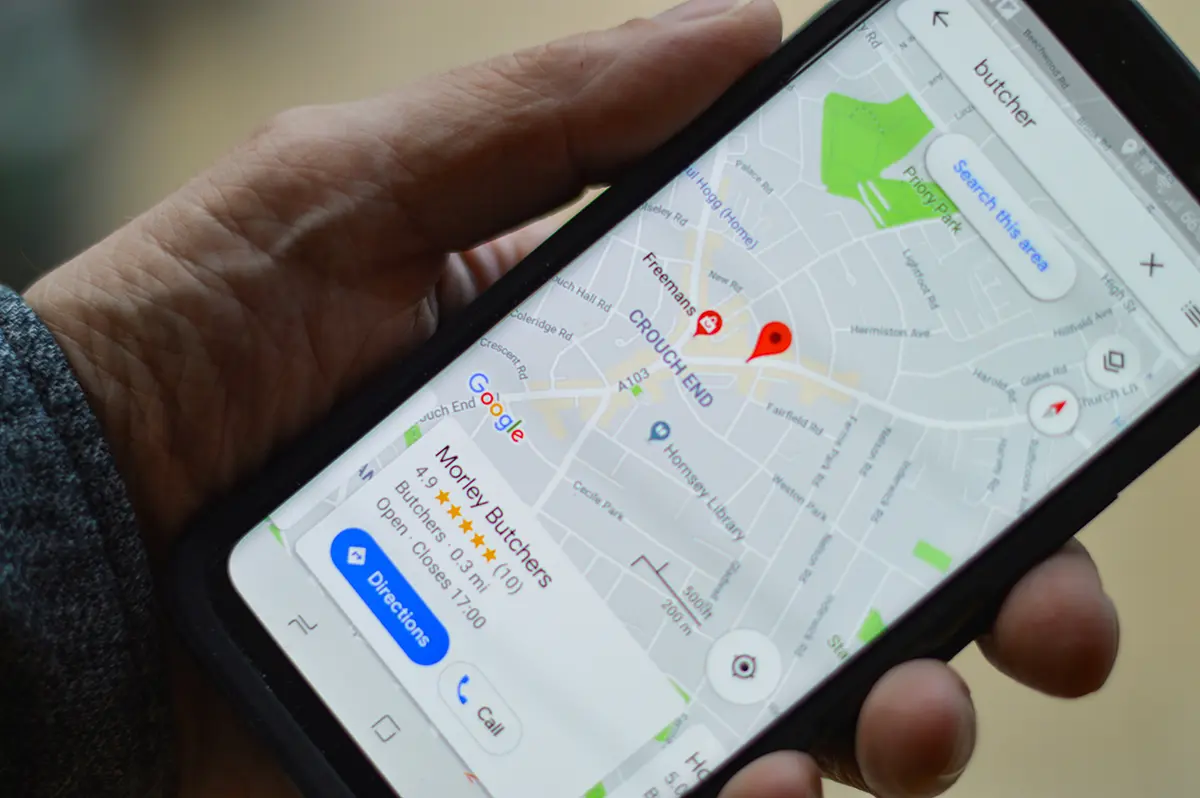
Apple aggregates reviews from multiple platforms, creating a composite reputation score that influences recommendation strength. Understanding this multi-platform approach is critical for optimization.
Cross-Platform Review Strategy
Yelp integration:
- Yelp reviews appear in Apple Maps listings
- Star ratings influence Siri’s recommendation algorithm
- Review volume signals business establishment
- Review recency demonstrates current operations
- Response rate shows customer service commitment
Google review consideration:
- Google reviews may supplement Apple’s data
- High Google ratings reinforce business credibility
- Review consistency across platforms matters
- Significant rating discrepancies trigger scrutiny
Platform-specific review requests:
- Ask customers to review on multiple platforms
- Prioritize Apple Maps-visible platforms
- Make leaving reviews simple across platforms
- Provide direct links to each review site
- Time requests when satisfaction is highest
Apple Maps Direct Reviews
Encouraging Apple Maps reviews:
- Apple Maps allows direct reviews from users
- These reviews carry extra weight for Siri
- Encourage iPhone users specifically to review via Apple Maps
- Apple Maps reviews integrate deeply with Siri recommendations
- Review request methods: See our expert guide on removing Google reviews for tips on flagging and managing feedback.
- Send iPhone users links opening Apple Maps
- Include Apple Maps review instructions in follow-ups
- Train technicians to mention Apple Maps reviews
- Feature Apple Maps review QR codes on materials
- Emphasize convenience for iPhone users
Managing Apple Maps feedback:
- Monitor Apple Maps reviews through Business Connect
- Respond promptly to all feedback
- Address concerns raised in reviews
- Thank customers for positive recognition
- Use feedback to improve service delivery
What Technical Optimizations Improve Siri Performance?
Beyond profile completion, technical factors influence how effectively Siri discovers and recommends your business.
Website Optimization for Apple Parsing
Structured data implementation:
- LocalBusiness schema on every page
- Service schema detailing offerings
- ContactPoint schema with phone numbers
- GeoCoordinates schema for location precision
- OpeningHoursSpecification for operating times
Mobile-first design requirements:
- Lightning-fast loading on iOS devices
- Touch-friendly interface elements
- Readable text without zooming
- Easy-to-tap phone number links
- Smooth navigation on smaller screens
iOS-specific features:
- Click-to-call phone number formatting
- Apple Pay integration where applicable
- Add to Apple Wallet capabilities
- Apple Maps integration on contact pages
- iOS calendar event creation for appointments
NAP Consistency Across Apple Ecosystem
Critical consistency points:
- Business name identical on all Apple properties
- Address formatting matching postal standards
- Phone number consistent everywhere
- Website URL pointing to same destination
- Hours synchronized across all platforms
Apple-specific listings to verify:
- Apple Business Connect primary listing
- Apple Maps presence
- Siri Suggestions database
- Spotlight Search results
- Apple CarPlay integration
How Can I Test My Siri Optimization?
Regular testing reveals how Siri presents your business and identifies optimization opportunities.
Voice Search Testing Methods
iPhone testing:
- “Hey Siri, find [your service type] near me”
- “Hey Siri, call an emergency [your service]”
- “Hey Siri, show me [your service] in [your area]”
- “Hey Siri, who does [specific service] around here?”
- “Hey Siri, find the best [your service] nearby”
Variation testing:
- Test different service descriptions
- Try various geographic specifications
- Use urgent and non-urgent phrasings
- Compare question versus command formats
- Test during different times of day
Competitive analysis:
- Note which businesses Siri recommends
- Identify their Apple Business Connect advantages
- Compare your listing to top recommendations
- Spot gaps in your profile versus competitors
- Analyze why certain businesses rank higher
Apple Business Connect Analytics
Available metrics:
- Views showing profile impression volume
- Actions tracking user engagement
- Direction requests indicating high intent
- Phone calls directly from listings
- Website clicks from your profile
Optimization insights:
- High views but low actions suggest weak profile content
- Direction requests show strong local intent
- Phone call volume indicates immediate need
- Website clicks reveal information-seeking behavior
- Trend analysis shows seasonal patterns
Performance improvements:
- Update underperforming profile elements
- Add photos if visual engagement is low
- Enhance descriptions if clicks are limited
- Verify hours if direction requests occur during closed times
- Test attribute changes and monitor impact
What Common Mistakes Hurt Siri Optimization?
Many contractors damage their Siri presence through easily avoidable errors. Recognizing these mistakes prevents lost opportunities.
Ignoring Apple Business Connect Entirely
The problem:
- Many contractors never claim their Apple listing
- Unclaimed listings show incomplete, outdated information
- Competitors with claimed listings receive preference
- Missing features limit customer engagement options
The solution:
- Claim your listing immediately through business.apple.com
- Complete every available profile section
- Enable all customer interaction features
- Monitor and update regularly
- Treat Apple Business Connect as seriously as Google Business Profile
Using Inconsistent Business Information
The problem:
- Business name variations confuse Apple’s systems
- Address discrepancies create duplicate listings
- Phone number inconsistencies prevent proper matching
- Website URL differences fragment your presence
The solution:
- Standardize your business name across all platforms
- Use identical address formatting everywhere
- List the same primary phone number consistently
- Direct all listings to the same website URL
- Audit all online presences for consistency
Neglecting Review Management
The problem:
- Failing to request reviews from satisfied customers
- Ignoring negative feedback on review platforms
- Allowing review volume to stagnate
- Missing opportunities for Apple Maps direct reviews
The solution:
- Implement systematic review request processes
- Respond professionally to all reviews
- Encourage iPhone users to review via Apple Maps
- Monitor review platforms Siri references
- Address service issues that generate negative feedback
Forgetting Mobile User Experience
The problem:
- Websites difficult to use on iPhones
- Phone numbers not click-to-call formatted
- Slow loading speeds on mobile connections
- Navigation requiring excessive scrolling or zooming
The solution:
- Test your website extensively on iOS devices
- Ensure all phone numbers are tappable links
- Optimize images and code for speed
- Design mobile-first with iOS users in mind
- Verify functionality across iPhone models
Siri local business optimization represents one of the most underutilized opportunities in voice search. While most contractors focus exclusively on Google, the businesses that invest in Apple Business Connect, maintain strong cross-platform reviews, and optimize for iOS users position themselves to capture a premium demographic actively searching for professional services through their Apple devices.