

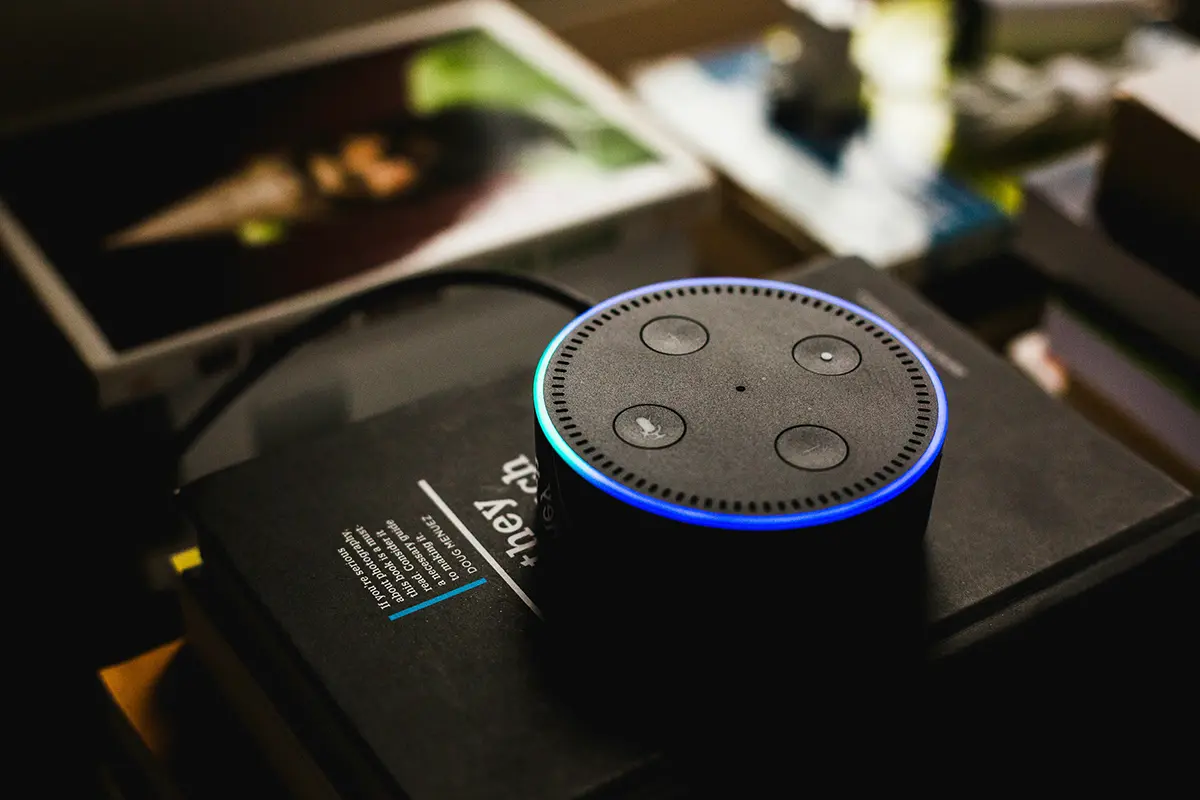
Amazon Alexa has become one of the most popular ways customers discover local service businesses. When someone asks their Echo device “Alexa, find a plumber near me” or “Alexa, who does emergency HVAC repair in my area,” they expect an immediate recommendation. For home service contractors, understanding how Alexa finds and recommends businesses is essential for capturing this growing segment of high-intent local searches.
This comprehensive guide reveals exactly how to optimize your business for Alexa local search, focusing on the specific platforms and strategies that influence Alexa’s recommendations. You’ll discover why Yelp dominates Alexa results, how to build a recommendation-worthy profile, and proven tactics for becoming the business Alexa suggests when customers need your services.
How Does Alexa Find Local Businesses?
Alexa’s local business recommendations rely primarily on Yelp data, making your Yelp presence the single most important factor in Alexa optimization. Understanding this relationship fundamentally changes how you approach voice search optimization for Amazon’s platform.
Alexa’s Primary Data Sources
Yelp business listings:
- Yelp serves as Alexa’s primary source for local business information
- Business category, location, and service details come from Yelp
- Hours of operation and availability information pull from Yelp
- Contact information and business websites link through Yelp
- Service area data determines geographic recommendation eligibility
Yelp review data:
- Review ratings heavily influence Alexa’s recommendation algorithm
- Total review count affects business prominence in results
- Review recency signals active, trustworthy businesses
- Review response rates indicate customer service quality
- Review content provides context about services and reliability
Additional data sources:
- Amazon may integrate sponsored business listings
- Location services determine proximity to the user
- Amazon’s own business directory supplements Yelp data
- Third-party verification services validate business legitimacy
The overwhelming dominance of Yelp in Alexa’s algorithm means optimizing for Alexa local search is fundamentally about optimizing your Yelp presence. Businesses that ignore Yelp essentially make themselves invisible to millions of Alexa users searching for services.
What Factors Does Alexa Consider When Recommending Businesses?
Review ratings and volume:
- Star rating (4+ stars significantly increases recommendation likelihood)
- Total number of reviews (more reviews signal established reputation)
- Review recency (recent reviews show active business operation)
- Review velocity (consistent new reviews indicate growing business)
Business category accuracy:
- Precise primary category selection ensures proper search matching
- Complete category assignments cover all your service offerings
- Accurate categories prevent mismatched recommendations
- Category specificity helps Alexa match detailed service requests
Location and proximity:
- Distance from the user requesting recommendations
- Service area coverage for businesses serving multiple locations
- Geographic boundaries for determining eligibility
- Neighborhood and city associations for local targeting
Business profile completeness:
- Complete business information signals professionalism
- Photos demonstrate legitimacy and quality
- Detailed service descriptions help intent matching
- Accurate hours prevent recommending unavailable businesses
Engagement signals:
- Review response rates show customer service commitment
- Question answers demonstrate active profile management
- Update frequency indicates current, maintained information
- Message response speed suggests business responsiveness
Why Is Yelp Critical for Alexa Optimization?
The Yelp-Alexa partnership means your Yelp profile isn’t just one factor among many—it’s essentially your entire Alexa presence. Businesses serious about voice search must prioritize Yelp optimization.
Understanding the Yelp-Alexa Integration
Direct data pipeline:
- Alexa queries Yelp’s database for local business searches
- Business information flows directly from Yelp to Alexa responses
- Review data influences recommendation algorithms immediately
- Profile changes on Yelp typically reflect in Alexa within hours
Recommendation algorithm:
- Alexa’s algorithm prioritizes highly-rated Yelp businesses
- Review count serves as a tiebreaker between similar ratings
- Business category determines search result eligibility
- Proximity filters businesses outside reasonable service areas
User experience connection:
- Alexa reads business names, ratings, and key details from Yelp
- Users can ask Alexa for phone numbers and addresses from Yelp listings
- Alexa directs users to call businesses using Yelp contact information
- Extended details come from Yelp business profiles
What Happens When Your Yelp Profile Is Incomplete?
Missing category information:
- Alexa may not surface your business for relevant searches
- Incorrect categories lead to irrelevant recommendation contexts
- Incomplete categories miss opportunities for broader service queries
Lack of reviews:
- Alexa deprioritizes businesses with few or no reviews
- Low review volume suggests unproven or unreliable business
- Competitors with substantial reviews get recommended instead
Outdated information:
- Incorrect hours cause Alexa to recommend unavailable businesses
- Wrong phone numbers frustrate users and damage reputation
- Inaccurate service areas exclude you from geographic searches
Incomplete profile:
- Missing photos reduce user confidence in recommendations
- Absent business descriptions provide no service context
- Incomplete contact information prevents user follow-through

How Do I Optimize My Yelp Profile for Alexa?
Creating a complete, compelling Yelp profile specifically optimized for voice search requires attention to every detail that influences Alexa’s recommendation algorithm.
Claiming and Verifying Your Business
Initial setup process:
- Search Yelp to find your existing business listing
- Claim ownership through Yelp for Business Owners
- Complete the verification process (typically phone or postcard)
- Access your business dashboard for full editing capabilities
- Enable all available features for claimed businesses
Verification benefits:
- Verified businesses receive priority in Alexa recommendations
- Full editing access ensures accurate, current information
- Analytics show how users find and interact with your listing
- Enhanced features like messaging become available
- Verified badge builds customer trust and credibility
Selecting Accurate Business Categories
Business categories directly determine when Alexa recommends your business, making category selection one of your most important optimization decisions.
Primary category selection:
- Choose the most specific category describing your main service
- “Plumbing” is better than generic “Contractor”
- “HVAC” beats broader “Home Services”
- Specific categories match precise voice search queries
- Primary category receives heaviest algorithmic weight
Additional category optimization:
- Add all secondary categories representing services you offer
- Include seasonal services in additional categories
- Cover emergency services with relevant categories
- List specialties that differentiate your business
- Balance specificity with broad service coverage
Category impact on searches:
- “Alexa, find a plumber” requires Plumbing category
- “Alexa, find emergency HVAC repair” matches HVAC category
- “Alexa, find an electrician” needs Electrician category
- Specific service searches demand corresponding categories
Writing Compelling Business Descriptions
Your Yelp business description provides context for both Alexa’s algorithm and customers reviewing recommendations.
Description best practices:
- Lead with your primary services and service areas
- Use natural language describing what you do
- Include location information and neighborhoods served
- Mention emergency availability and response times
- Highlight certifications, licenses, and credentials
- Describe what makes your service unique
- Keep descriptions under 250 words for readability
- Update seasonally for time-relevant services
Keywords to include naturally:
- Service types you offer (HVAC repair, installation, maintenance)
- Geographic areas you serve (neighborhoods, cities, regions)
- Emergency and availability terms (24/7, same-day, emergency)
- Credentials and qualifications (licensed, insured, certified)
- Customer benefits (free estimates, financing, warranties)
Adding High-Quality Photos
Photos significantly impact user confidence in Alexa recommendations and improve your Yelp profile performance.
Essential photo categories:
- Your service vehicles with clear company branding
- Team photos showing professional, friendly staff
- Before-and-after project photos demonstrating quality work
- Equipment and tools showing professional capabilities
- Office or facility photos if applicable
- Action shots of your team performing services
Photo optimization:
- Upload high-resolution images that look professional
- Include 15-20+ photos for comprehensive coverage
- Update photos regularly to show current operations
- Ensure good lighting and clear subject focus
- Add captions describing what photos show
- Feature satisfied customers when permitted
Maintaining Accurate Business Information
Current, accurate information ensures Alexa can confidently recommend your business to users.
Critical information to maintain:
- Business name exactly as it appears on your signage
- Complete street address with suite/unit numbers
- Primary phone number that reaches your business directly
- Website URL to your main homepage
- Service areas including all cities and neighborhoods served
- Business hours for each day of the week
- Holiday schedules and special closures
- Emergency availability and after-hours contact
Update frequency:
- Review information monthly for accuracy
- Update immediately when hours change
- Adjust service areas as you expand or modify coverage
- Change phone numbers the moment they update
- Modify holiday hours well in advance
- Keep seasonal service availability current
How Do I Build Reviews for Alexa Optimization?
Review quantity, quality, and recency heavily influence Alexa’s recommendation decisions. Building a systematic review generation strategy is essential for Alexa optimization.

Creating a Review Request Process
Timing review requests:
- Ask for reviews immediately after successful service completion
- Request reviews while customer satisfaction is highest
- Time requests within 24-48 hours of service
- Send follow-up requests if no review appears within a week
- Focus requests on genuinely satisfied customers
Review request methods:
- Send personalized emails with direct Yelp review links
- Include Yelp review requests in invoices
- Train technicians to mention reviews during service wrap-up
- Use review request cards left with customers
- Send text messages with simple review links
Making reviews easy:
- Provide direct links to your Yelp review page
- Include simple instructions for leaving reviews
- Offer to help customers who aren’t familiar with Yelp
- Ensure mobile-friendly review process
- Remove all friction from the review experience
Following Yelp’s Review Guidelines
Yelp maintains strict policies about review solicitation that you must follow to avoid penalties.
Acceptable review practices:
- Asking all customers for reviews equally
- Providing convenient ways to leave reviews
- Explaining why reviews help your business
- Thanking customers who leave reviews
- Making the review process simple and accessible
Prohibited review practices:
- Offering compensation, discounts, or incentives for reviews
- Asking only satisfied customers for reviews
- Soliciting reviews only from friends and family
- Writing reviews for your own business
- Asking employees to write reviews
- Offering to trade reviews with other businesses
- Using review generation services that violate Yelp terms
Consequences of violations:
- Yelp may add consumer alerts to your profile
- Reviews may be filtered or removed
- Your business ranking may be penalized
- Long-term damage to your Yelp presence
Responding to Reviews Professionally
Review responses demonstrate customer service quality and improve your Yelp profile performance.
Responding to positive reviews:
- Thank customers for their feedback and business
- Mention specific details from their review
- Reinforce your commitment to quality service
- Invite them to contact you for future needs
- Keep responses genuine and personal, not templated
- Respond quickly to show you take feedback seriously
- Apologize for any service shortcomings
- Explain what happened and how you’ll prevent recurrence
- Offer to make things right offline
- Remain professional regardless of review tone
- Never argue or become defensive
- Take extended discussions to private communication
Response best practices:
- Respond to every review, positive and negative
- Reply within 24-48 hours of review posting
- Keep responses concise and focused
- Use professional language and proper grammar
- Personalize each response to the specific review
- Include your name or title for authenticity
What Other Factors Improve Alexa Recommendations?
Beyond Yelp optimization, additional strategies enhance your visibility in Alexa local search results.
Ensuring NAP Consistency
Name, Address, and Phone consistency across the web reinforces your business legitimacy for Alexa’s verification algorithms.
Critical consistency points:
- Business name should be identical everywhere
- Address formatting should match exactly
- Phone number should be the same primary number
- Website URL should be consistent
Where to maintain consistency:
- Yelp business profile
- Google Business Profile
- Your website footer and contact page
- Other directory listings
- Social media profiles
- Industry associations and credentials
Claiming Additional Directory Listings
While Yelp dominates Alexa data, other directories may provide supplementary information.
Important directories:
- Amazon Business directory
- Better Business Bureau
- Angie’s List/Angi
- HomeAdvisor (for relevant industries)
- Local chamber of commerce listings
- Industry-specific directories
Directory optimization:
- Claim and verify all relevant listings
- Complete all profile information fully
- Ensure NAP consistency across all platforms
- Keep information updated simultaneously everywhere
- Monitor for duplicate or incorrect listings
Monitoring Your Alexa Presence
Regular monitoring helps you understand and improve your Alexa performance.
What to monitor:
- Your Yelp review rating and count
- Recent reviews and customer feedback
- Your category rankings on Yelp
- Competitor Yelp profiles and strategies
- Voice search queries mentioning your business
Testing your presence:
- Use Alexa devices to search for your services
- Test different query phrasings customers might use
- Note which businesses Alexa recommends for your categories
- Identify gaps between your ranking and competitors
- Adjust strategy based on actual Alexa responses
Optimizing for Alexa local search comes down to building an exceptional Yelp presence through comprehensive profile completion, systematic review generation, and consistent engagement. As more customers turn to voice assistants for local service recommendations, the businesses that prioritize Alexa optimization through Yelp will capture an increasingly valuable segment of high-intent local searches.